
I can understand there’s a certain amount of smartphone snobbery, but I think that’s because we associate smartphones with a certain sort of selfie-loving snapshot mentality. Smartphone cameras are actually pretty good, provided youunderstand their limitations and work within them
and put the same thought into each picture that you would with a ‘proper’ camera
Capture One
Capture One is an all-in-one image capture (tethered shooting), cataloguing and editing application first launched by Danish company Phase One but now operating as a standalone software publisher. Born out of its medium format studio camera products, Capture One is now a professional RAW conversion tool for DSLR and mirrorless camera owners too. It’s a premium Lightroom rival that concentrates on image quality, fast and efficient editing and a choice of workflows aimed at busy professionals.
Capture One 12 Fujifilm Film Simulations: how they work

Is Capture One now the best RAW converter of all for Fujifilm owners? Phase One has added support for the Fujifilm GFX, launched a new, free Capture One Express Fujifilm app, and Capture One 12 now adds Fujifilm Film Simulation modes.
Black and white in Capture One Pro

Maybe you wouldn’t normally think of Capture One Pro as an image-editor. It’s a superb RAW converter and general image enhancement tool, but most of the time you’d probably swap to a plug-in or an external editor for really detailed effects work – especially any that required localised adjustments. But I’ve been spending some time with Capture One […]
Can Capture One see more than your camera?

There’s something odd about the way Capture One crops certain RAW files. Now and again, when you select the crop tool, you’ll see that Capture One has chosen a default crop that’s actually smaller than the full image area. This might seem like a minor operational annoyance and that you just need to recrop manually, […]
Looking for an instant boost? Try this three-step fix in Capture One

We’ve all been there. You’ve got a shot that’s fundamentally sound but lacks rich, strong colours or any kind of atmosphere. They can be tricky to fix and you can spend hours experimenting with settings that don’t seem to get you any closer – and you don’t want to resort to flashy and obvious effects […]
Are you missing your best shots? Capture One’s Auto Adjust tool could tell you with a single click

You can’t keep every picture you shoot – but how do you know you’re keeping the right ones? We all shoot more than we keep, and the obvious thing to do is make a first pass of your images and delete the ones that look wrongly exposed, flat or lacking in colour. Obvious, yes, but […]
Capture One presets vs styles: what’s the difference?

Capture One lets you save adjustments for re-use in the future, but it can be confusing because it offers user ‘presets’ and user ‘styles’ without being terribly clear about the difference. In other programs, ‘presets’ usually refer to sets of adjustments applied all at once, but Capture One presets are subtly different. So to make […]
How to use the Capture One adjustment tools

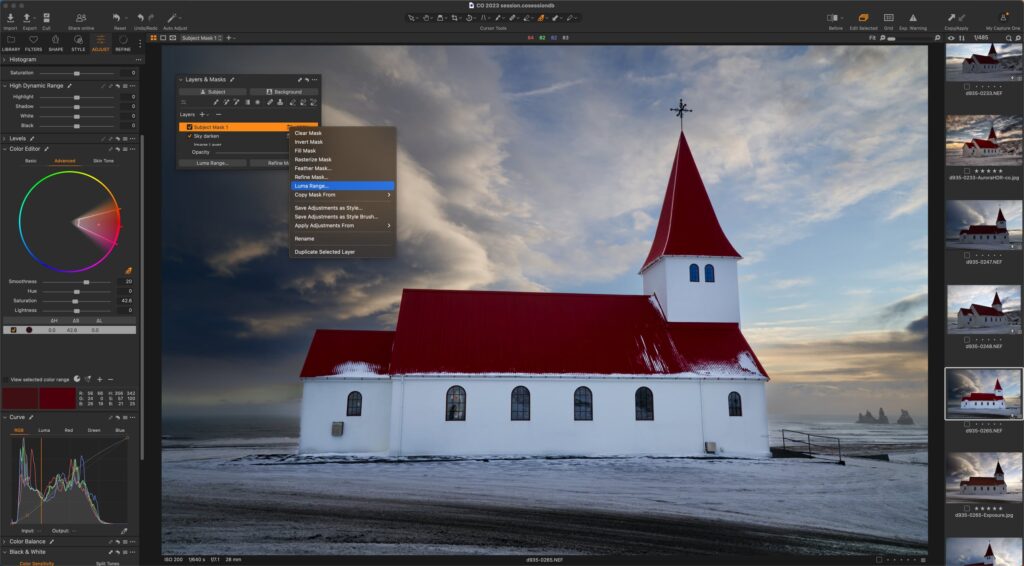
Capture One Pro has some very good localised adjustment tools. You can create gradient filter effects and paint on manual adjustments, just as you can in Lightroom, but I think Capture One Pro’s system of adjustment layers and masks works a lot better. I’m going to show how simple and effective they can be with […]
Capture One keystone correction tips

Keystone correction is usually used to fix converging verticals in architectural shots – that’s the most obvious use for the Capture One keystone correction tools – but this vertical keystone correction isn’t the only kind you’ll need. Keystone distortion happens when you tilt the camera relative to your subject, and this can mean horizontal tilt […]
How do Capture One sessions work?

Newcomers to Capture One may be confused by its talk of ‘Sessions’, which are an alternative way of browsing, selecting and editing pictures that’s still available, even though Capture One Pro now offers Aperture and Lightroom style image catalogs. ‘Sessions’ exist because Capture One isn’t just another image cataloguing and editing tool. In fact, its […]